
Why would I want to operate remotely?
Because the best radio you own probably isn’t at the best location. HOA rules, rental agreements and small lots keep good antennas out of reach, and all the switching power supplies and LED lights in a modern house can bury weak signals under a wall of noise. The common answer is to put the station somewhere with a good antenna and a quiet location, then operate it over the internet.
It also just fits real life. You can call CQ on your lunch break, check the bands while traveling, join a contest from a hotel room, or share one well-equipped station with the rest of your club. And if a full desk setup is hard for you to use, a phone or tablet makes a fine control head.
Doesn’t software for that already exist?
It does, and some of it is great. But each approach comes with trade-offs:
- Subscriptions. Some services charge an ongoing fee, sometimes tied to your callsign, and run everything through the vendor’s servers.
- Remote desktop workarounds. Generic remote-desktop tools work with any radio, but they stream the ENTIRE screen, eat bandwidth, add latency, and are painful on a phone.
- Uneven mode coverage. Some tools handle voice well but limit CW to typed text instead of a paddle or key, or leave digital modes to a separate setup.
- Scattered information. Spots, propagation data and the spectrum display usually live in different programs and different windows.
- Shared stations. Clubs and families need a way to give each licensed operator their own access without everyone sharing one password.
So what is RigControl Web?
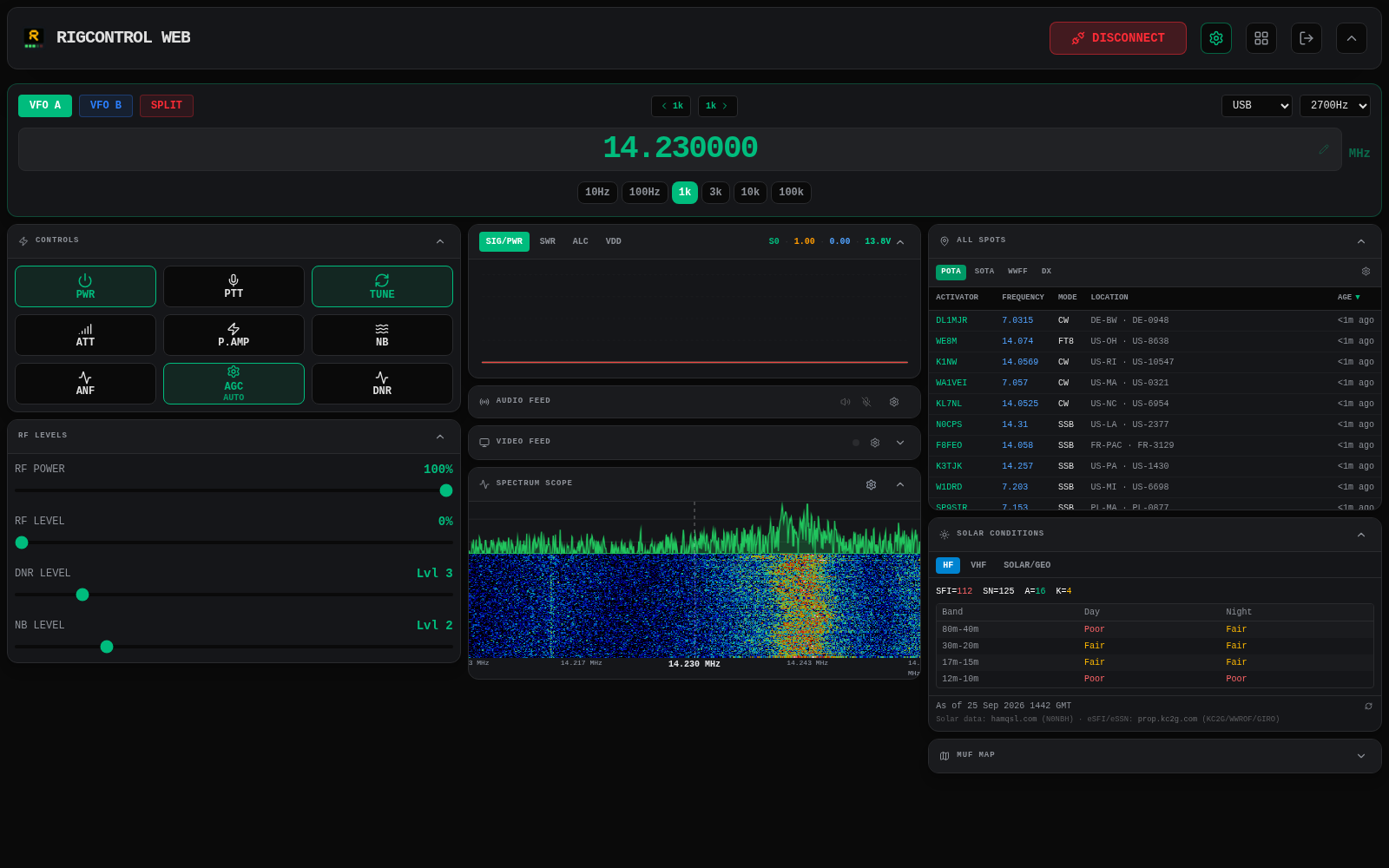
RigControl Web is a free, open-source program that lets you control your radio from a web browser. It talks to any radio supported by Hamlib and gives you a real-time dashboard with frequency, mode, meters and controls. The same interface works on a desktop, a tablet or a phone.
For voice, your own microphone and speakers replace the ones at the radio, using two-way Opus audio. CW works from the keyboard or touch paddles through a server-side iambic keyer, and a built-in decoder shows what’s coming in on the band. For digital modes, a small helper program on your computer makes the remote radio look local to WSJT-X, JS8Call, Fldigi and other Hamlib-compatible software. There’s even a lightweight FT8 decoder for quick band checks.
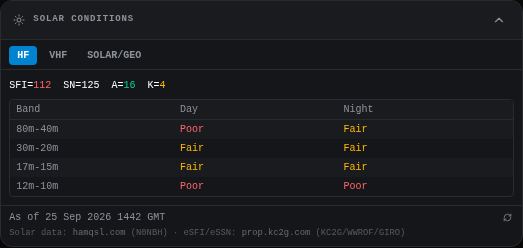
You also get plenty of situational awareness built right in. Spectrum scopes work with Icom radios,, the Yaesu FT-710, and radios with an I/Q output like the Xiegu G90. Radios with HDMI or DVI output can stream their front panel. POTA, SOTA, WWFF and DX cluster spots tune the radio with one click, and solar data plus MUF maps show what the bands are doing.
Every panel can be added, removed and resized, from a small monitor right up to 4K. An admin panel lets a club give each licensed operator an individual login. Run it as a desktop app on your shack computer, or as a headless server on a Raspberry Pi or mini PC.
Which of those gaps does it fill?
Let’s go through them one at a time, using screenshots from my own FT-710.
No subscription, no middleman
RigControl Web is free and self-hosted. You run it on your own computer or a small headless machine at the station, and there’s no third-party server between you and your radio. Setup is a single settings dialog where you pick your Hamlib radio model and serial port.

That’s the VFO panel: frequency, mode, bandwidth, split and tuning step.
Built for a browser and a phone
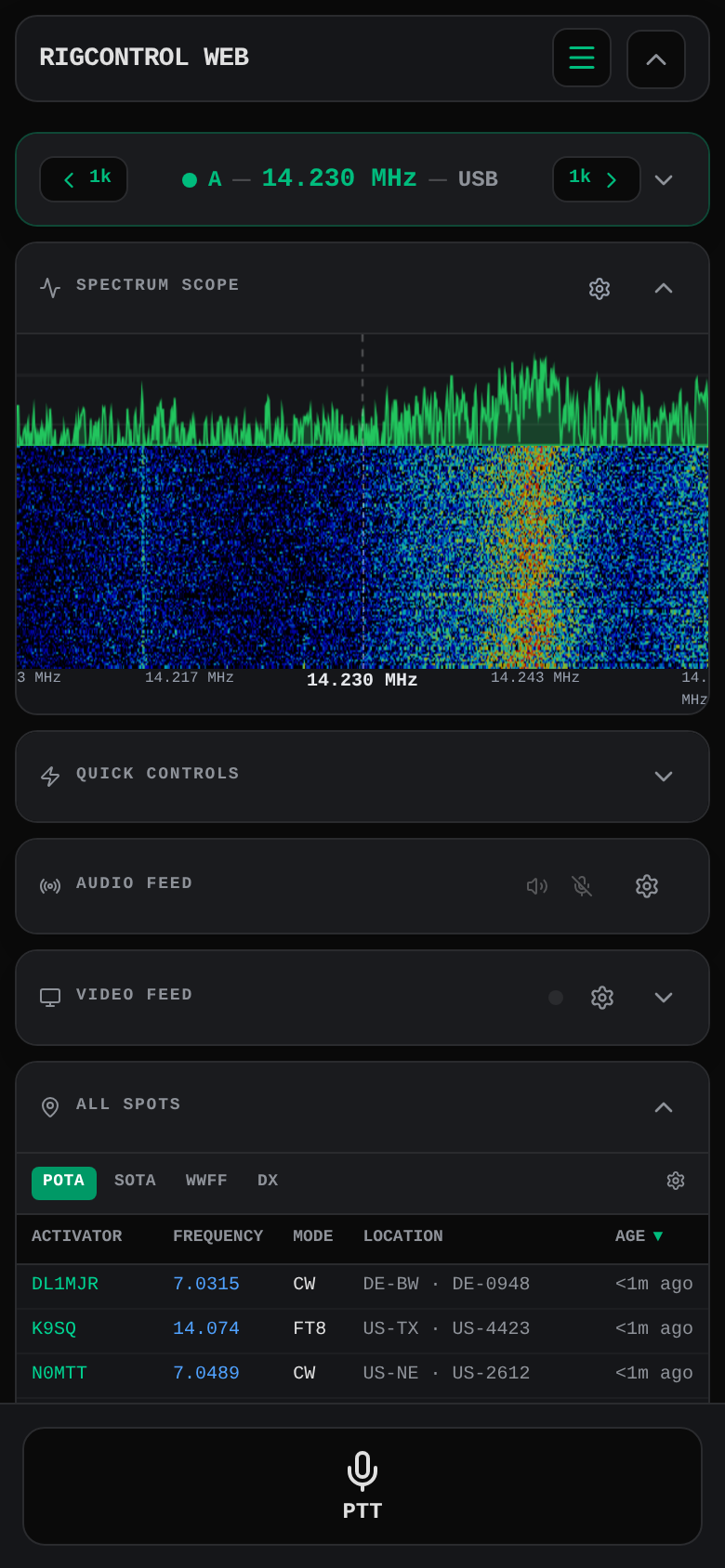
Instead of streaming a desktop, the app only sends rig state, compressed audio and scope data. There’s also a dedicated phone layout that keeps the essentials (frequency, scope, quick controls and a big PTT button) right under your thumb.
Full radio control
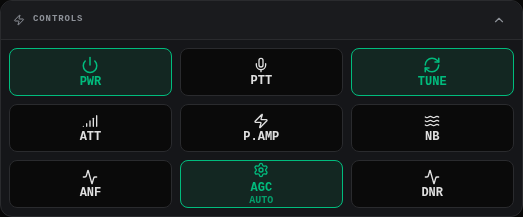
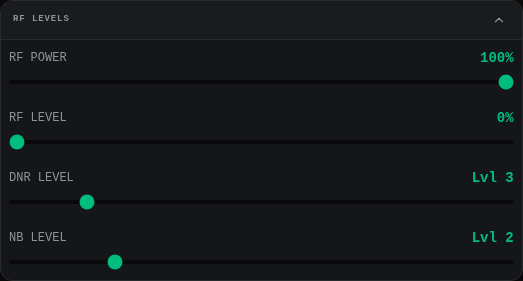
Because it talks to Hamlib, the controls follow whatever your radio supports: power, tune, attenuator, preamp, noise blanker, AGC and RF levels. Other Hamlib-compatible programs can connect through the app too, so your existing tools keep working.
Voice, CW and digital in one place
Voice uses your own microphone and speakers. CW keying works from the keyboard or from touch paddles, and the timing is handled on the server so network jitter doesn’t mangle your code. For digital modes, run the helper program on the computer where WSJT-X lives and it presents the remote radio as a local Hamlib rig.
Spectrum, spots and propagation together
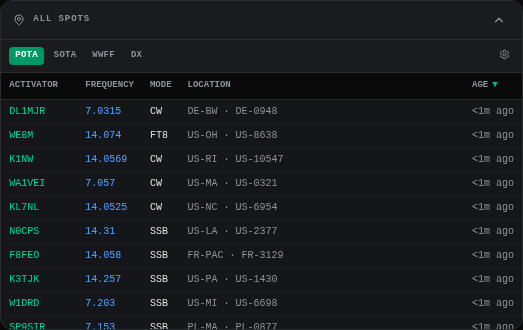
The scope, the spot lists and the solar data all sit in the same window as your frequency display. Click a spot and the radio tunes to it and sets the mode. Click the scope and it tunes to that signal.
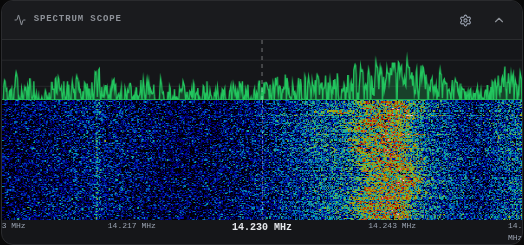
That’s the FT-710 scope, fed over USB. Below is the POTA spot list. SOTA, WWFF and DX cluster spots each get their own tab.
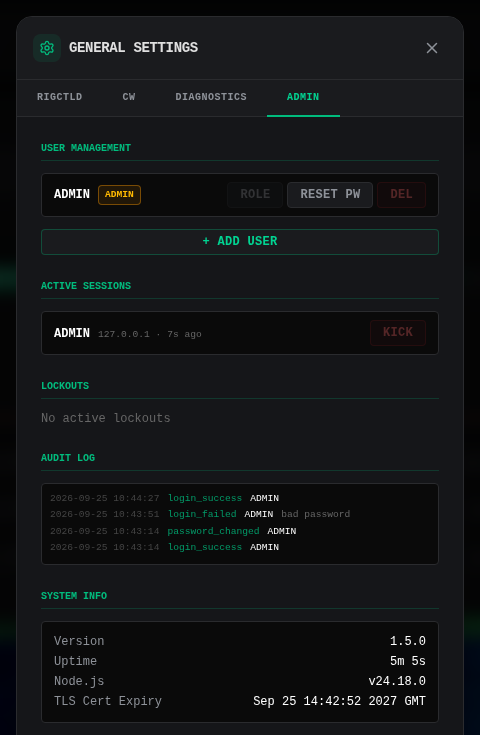
Accounts for clubs and shared stations
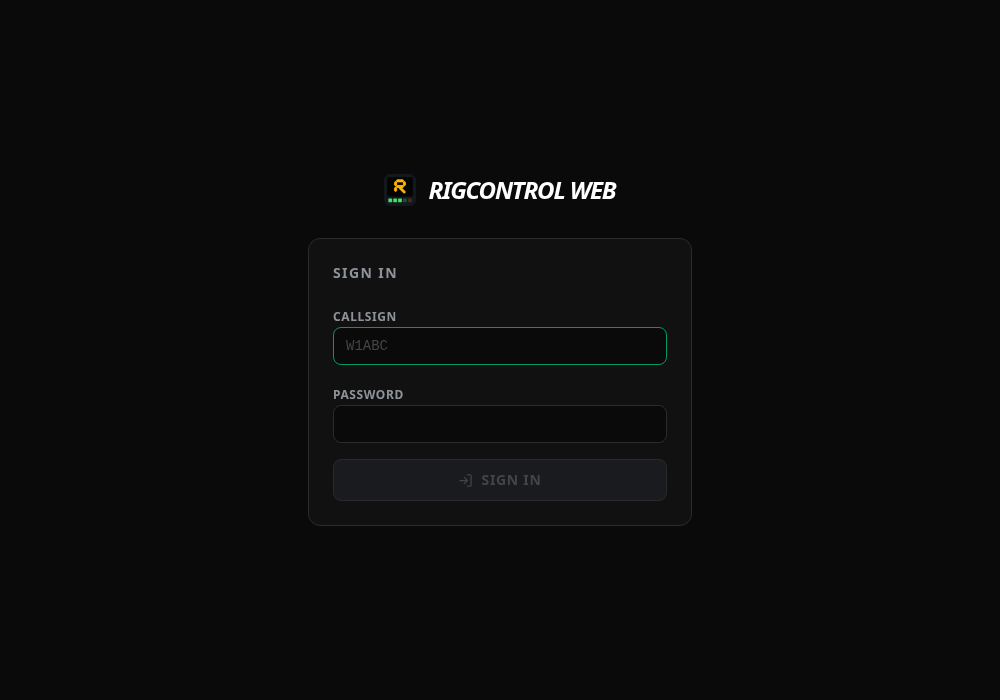
Each operator signs in with their own callsign and password.
An administrator can add and remove users, reset passwords, kick active sessions, and review an audit log of sign-in activity.
Let’s get it running!
Head over to the GitHub Releases page.
Steps:
- Download the installer for your operating system: Windows (.exe), Linux (AppImage, DEB or RPM), or macOS (Apple Silicon .dmg, untested due to lack of hardware).
- Run it. The installer bundles its own copy of Hamlib, so there’s nothing else to install.
- Open the settings dialog (the gear icon) and pick your radio model, serial port and serial speed.
- Click Connect.
- From another device, browse to
https://your-shack-computer:3000. Your browser will complain about the self-signed certificate the first time. That’s normal. Accept it and carry on. Replace your-shack-computer with your IP address.
That’s it! You’re on the air from your browser.
Want to run it on a dedicated Raspberry Pi or mini PC instead? There are prebuilt x64 and arm64 tarballs, plus a Docker image on Docker Hub. The Headless Deployment wiki page walks through Docker Compose, docker run and systemd.
A Few Warnings
The built-in server uses HTTPS and requires a login, but it is meant for your local network or a VPN. Do NOT just forward port 3000 to the open internet and hope for the best. If you don’t have a VPN set up, read up on how to install and use a reverse proxy, which is beyond the scope of this project. Also, because this involves transmitting, make sure you follow the licensing and station-control rules that apply in your country.
References
- Rig-Control-Web on GitHub
- Project wiki
- Remote Access wiki page
- Remote Control Stations for Ham Radios (dummies.com)
- Remote Operation 101 (Cranbrook Radio Club Society)
- RemoteTx and Remote Ham Radio (examples of subscription-based services)